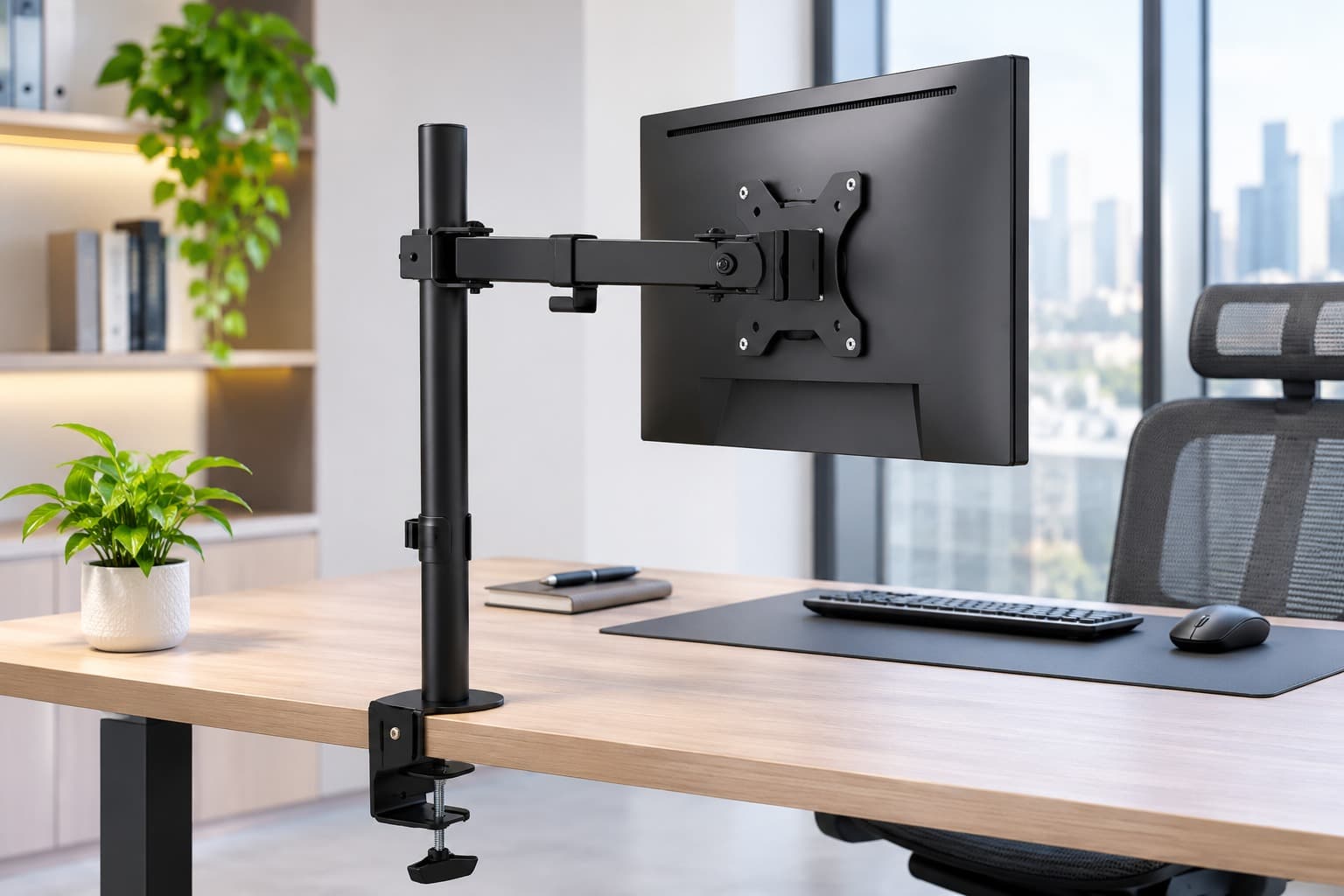
Monitor Arms for Office Rollouts: What to Check Before Ordering
Before ordering monitor arms for an office rollout, match each monitor model to the desk and screen layout where it will be used. Start your office monitor arm procurement checklist with one row per workstation type. Record the desk model, monitor model, number of screens, required screen positions and quantity of identical desks. For each monitor, record its weight without the original stand, the exact VESA pattern and whether the screen is flat or curved. Check the weight limit for each arm on a dual mount, especially when pairing different screens. If the proposed arm has a stated minimum load, check that against the lighter screen as well. Next, confirm how the mount will attach to the desk. Measure the desktop thickness at the intended fixing point and inspect underneath for frames, aprons, cable trays and power modules that could obstruct the clamp. For grommet mounting, check whether the desk has a suitable opening, whether the underside is accessible and whether the furniture supplier permits that fixing method. Where the desk construction or reinforcement is unclear, have the furniture supplier or installer assess it before ordering. For example, a clamp might fit the thickness of both desks in an office, yet a steel frame under one desk type could prevent it from seating properly. Record that desk as a separate configuration so it can be checked before quantities are finalised. Then confirm that the screens can reach their working positions without hitting a partition or the monitors on the opposite desk. For a dual setup, use the actual monitor widths to check side-by-side placement, particularly if one screen needs to rotate into portrait orientation. On sit-stand desks, check power and signal cable slack through the desk’s full travel and the arm’s intended movement. Skill Tech’s SH 0025T single monitor arm is listed for most 13–32-inch screens up to 8 kg, with a maximum VESA of 100 × 100 mm. Its product page lists a 10–88 mm clamp range and a 10–75 mm grommet range. For dual setups, the SH070 T024 is listed for 13–34-inch displays up to 8 kg per screen, with a maximum VESA of 100 × 100 mm. Use these figures to shortlist models and confirm the exact hole pattern, desk fixing and screen clearance before purchase. For a bulk order, test one workstation from each desk and monitor combination. Check that the fixing sits correctly, the screens reach their intended positions and the cables move freely before approving the remaining units. Send Skill Tech the monitor models, weights, VESA patterns, desk measurements, mounting-point photos and quantities by workstation type to request a bulk quotation.
Recent Posts
Can You Replace Missing TV Feet with a Tabletop Stand?
November 12, 2026
Will a Full-Motion TV Mount Fit in a Recessed Wall?
October 27, 2026
TV Trolley Selection for Shared Meeting Rooms in the UAE
October 27, 2026
Digital Podiums UAE | Smart Presentation Solutions | Skill Tech
October 6, 2026